 SiteView help
| SiteView help
|
Downloading Logger Data is the process transferring the
recorded measurements inside the logger to the computer and saving them in
either database or a file that SiteView can recognize – SiteView file
(.svf). If the logger is in normal sampling mode (sampling
interval >= 5 seconds), the downloading process does not interrupt the
logging operation. If the logger is in fast sampling mode (sampling interval is
less than 5 seconds) logger will stop logging data from the time SiteView
communicates with the logger. SiteView can choose to download whole available data or
only the interesting section for the specific period of time. If you are already in logger status page, click
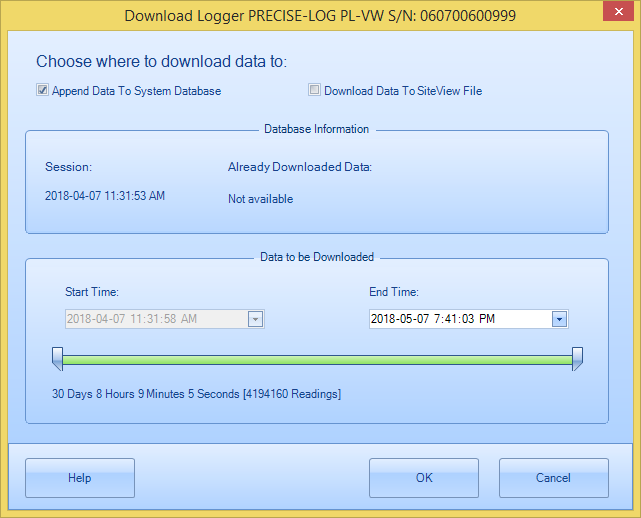
Download button, Download Logger dialog window will
appear:
You can either choose to download the data
to the system database or download the data to a single file
(.svf). If you have chosen Append Data To System
Database, you can not change the Start Time because system will figure
out the right start time based on the current dataset in the
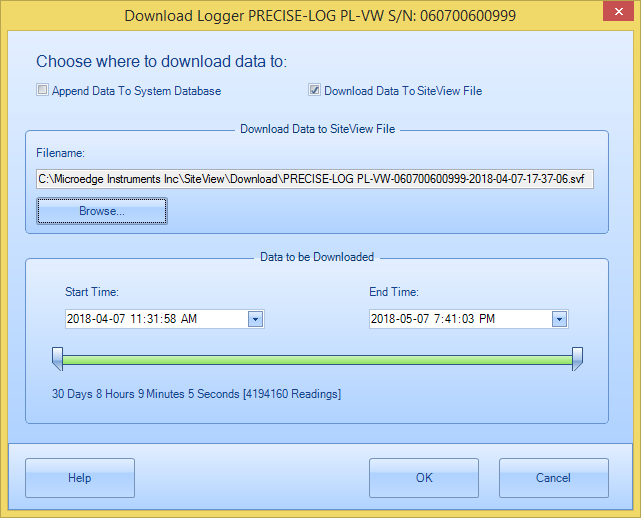
database. If you have chosen Download Data To
SiteView File, the dialog will change to: Each time when Download Logger dialog
appears a default filename is created based on the properties you can
change: You may specify a different file
name by clicking Browse to select a file
name. Once you have selected the filename to save and
specified the start and end time, click OK button to start the
downloading process. After the download the plot and the tabular data will
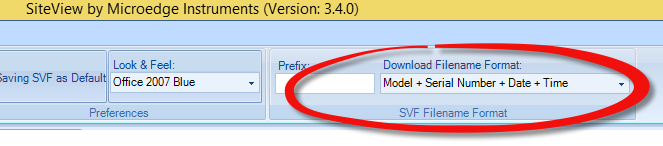
appear. The above SVF Filename Format specifies the
properties regarding download. Default Download
Folder specifies the default folder to save all
SiteView files. Download File Prefix specifies a string added in front of the
filename. Download File Format specifies how to build the filename. The available selections
are: Prefix + Serial Number + Date +
Time Serial Number + Date +
Time Serial Number Date + Time Prefix + Serial
Number Prefix + Date +
Time For example, if you selected: Prefix + Serial Number + Date +
Time, the logger serial number is 0101FF-065282, and the prefix
string is “LAB01-”, the system will generate the default file name looks
like: LAB01SN0101FF-065282-2010-09-02-07-07-11.svfChoose How you save the download and Time Span

How default
filename created